 Buyer's guide
9 min read
The best knowledge base software for agencies, judged at the fifteenth client
September 15, 2026

Most client documentation is delivered as a link to a folder.
It works for about a month. Then somebody forwards it to a colleague the permissions do not cover, and the colleague sees a request-access screen with your personal email address on it. Or the link is fine but the page it opens is unmistakably a document in somebody else's software, with a sharing menu and a comment sidebar and a thin grey bar across the top announcing whose account it belongs to.
The third time someone asks where the guide is, you reply with the link and nothing else.
A hub is a help center of its own: a real website at its own address, with its own name, logo, brand color, headline, intro, and support hours.
Readers open it and read it. No account, no request, no permission that can lapse. It behaves the way every help center they have ever used behaves, because that is what it is.
Publish one hub under your own name, or one for each client under theirs.
This is the mechanic that changes how the work feels, and it is worth being precise about how it operates.
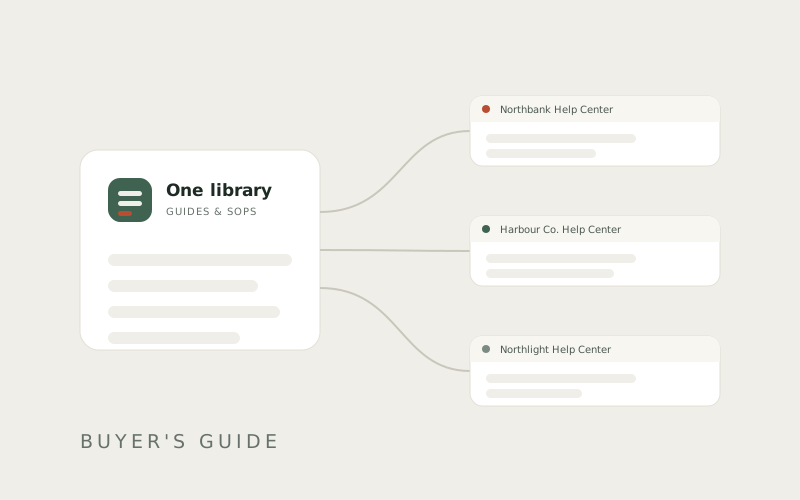
A guide lives once, in your library. Publishing it to a hub places it there. It does not copy it.
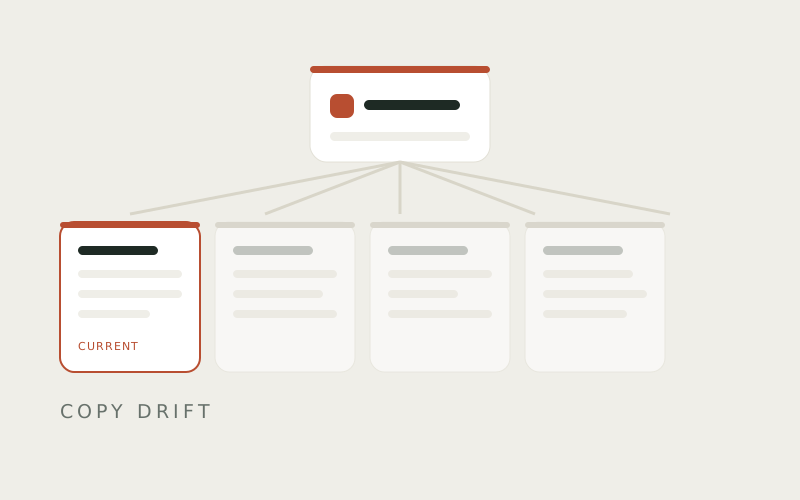
Publish the same guide to a second hub and there are still not two guides. There is one guide, appearing in two places. Correct it, and every hub carrying it is correct — at the same moment, with nothing to export, nothing to re-upload, and nothing to reconcile.
The value of that is not obvious until the day a process changes and eleven help centers would otherwise all be wrong at once. Most people meet this problem in the other direction: they update one copy, forget the other ten, and find out six weeks later when a client follows a version of the instructions that stopped being true in April.
Not everything you write is for a reader.
Internal SOPs stay in your account and never appear on a hub. The material describing how your team runs an onboarding — who does what, what you charge, what tends to go wrong with this client — is separate from the guide the client reads about logging in.
Drafts stay off as well. A draft in Docssier is not visible to anyone, whatever else is switched on. That is deliberate, and it is also worth knowing because it means a hub can sit empty for a week without anything on your screen looking broken. If you have written a guide and cannot find it on the hub, the usual reason is that it is still a draft.
Their name at the top. Their logo. Their color. The wording you wrote for them.
Docssier appears twice, quietly: "Published with Docssier" in the footer, and "Powered by Docssier" in the chat. Nothing else. Not in the empty states, not in the error messages, not in the answers the chat gives.
The restraint is deliberate and it is most of the point. A help center that advertises its vendor halfway down the page is a help center that reads as rented. This one reads as theirs, because on the page, it is.
Every hub has one. Doc AI answers from that hub's published docs and nothing else, cites the guide and step behind each answer, and opens a ticket instead of guessing when the docs do not cover the question. The ticket lands in your Inbox.
Doc AI is the default name on the chat, not a required one — rename it for a client and the name is theirs. What does not change with the name is the behavior underneath it: still marked as AI-written, still scoped to that hub's own docs, still citing its sources, still handing the hard questions to a person.
Make one hub for the client who asks the most questions.
Give it their name and logo, publish the four or five guides they need most, and open the address in a new tab to see exactly what they will see. That last step is the one people skip, and it is the only confirmation worth having.
Then send them the address. Not a share link — an address, which will still work next year, still work when they forward it, and still have their name on it when it does.
Capture a process, publish it as a help center under your own name or a client's, and answer the repeat questions from what you published.