 Buyer's guide
9 min read
The best knowledge base software for agencies, judged at the fifteenth client
September 15, 2026
A ticket arrives that reads, in full: "it won't let me in."
Before you can answer it you need to know what they bought, whether the payment went through, and which of the three things you sell they are actually locked out of. None of that is in the message. All of it is in another tab, behind a search box, under a name that may or may not match the email address in front of you.
By the time you have found it you have lost four minutes and the thread of what you were doing.
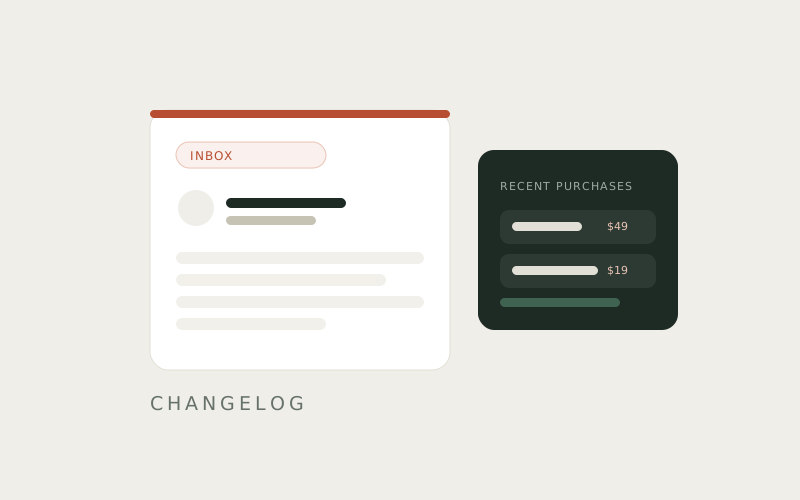
Connect Stripe or WooCommerce and a reader's recent purchases appear next to their question in the Inbox.
Same screen, no search, no second tab. You open the ticket and the context is already sitting there beside it.
Stripe and WooCommerce connect by key. Paste yours into the integration settings in your account, and once the key is accepted the integration reads as connected. Purchases begin appearing on tickets from that point forward.
The key is stored in a vault and is never displayed again after you enter it. If you need to change it, you replace it rather than read it back.
Two things, and the second is the one that compounds.
The immediate one is speed. The question that took four minutes of hunting takes as long as it takes to read, which on a run of a dozen tickets is most of an afternoon.
The slower one is accuracy. Support answers get vague when the person writing them is not sure which product the reader has — the reply hedges, covers two cases, and asks the reader to confirm which one applies. That is a second round trip for something you could already have known. With the purchase on screen the reply names the thing they bought and the step that applies to it.
It is a read, not a sync. Docssier is not writing anything back to Stripe or WooCommerce, not adjusting a subscription, and not issuing a refund. The Inbox shows you what the reader bought so that you can answer the question in front of you. Everything you do about it, you do in the tool that owns it.
Nor does the reader see any of this. It sits on your side of the ticket, in the Inbox, next to the question.
A ticket in Docssier exists because Doc AI read that hub's published docs and reported that they did not cover the question. Every ticket has already passed through that filter, which means the ones reaching you are the ones that genuinely need a person.
Those are the questions worth arriving fully equipped for. A question about billing or access is almost never answerable from documentation alone — it depends on facts about that specific reader — so it was always going to become a ticket. Putting the purchase beside it means the ticket that had to reach a person still only takes one reply.
Capture a process, publish it as a help center under your own name or a client's, and answer the repeat questions from what you published.