 Buyer's guide
9 min read
The best knowledge base software for agencies, judged at the fifteenth client
September 15, 2026
Recording your screen inside a client's system is not a small thing to agree to. You are in their billing, their CRM, their customer list. Whatever the recorder picks up goes into a document, and that document may end up on a help center their whole team reads.
So it is worth knowing exactly what gets captured.
Every click becomes a step. The extension takes the screenshot at the moment of the click, marks where the click landed, and reads the label of the control you clicked, so the step names the button that is actually on screen rather than a guess at what it might be called.
Typing is recorded as a step as well, so a guide that involves filling something in reads as a procedure rather than a gap between two screenshots.
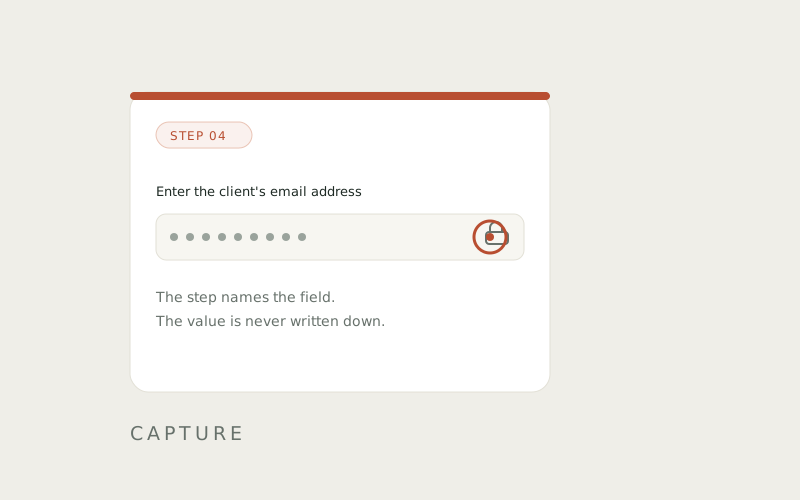
Values typed into a password field, a card field, an email field, a phone field or a number field are recorded by the field's own label and never by their contents.
The guide says Enter the client's email address. It does not say what the email address was.
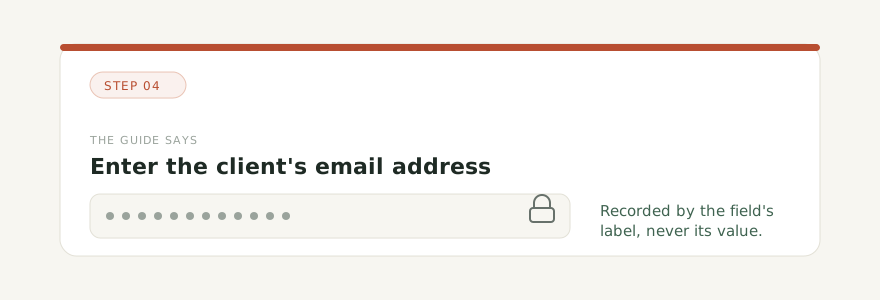
That is not a setting and not something you have to remember to switch on. It is how the capture behaves, it is in the code, and it is the same on every plan including the free one.
The rule above covers the fields a browser knows are sensitive. It does not cover a customer's name sitting in a table behind the form you happened to be filling in.
For that, the step editor has blur. Draw over anything in a screenshot that should not leave the room, and the blurred version is what publishes.
Captured images are stored with the guide, and the guide arrives as a draft. A draft is not visible to anyone, whatever else is switched on, so nothing reaches a reader in the gap between the capture and your review.
That gap is the point. The extension is quick because you were doing the task anyway. The review is where you decide what a client actually sees.
It records Chrome. Not your desktop, not another browser, not an application outside the browser. If the process leaves Chrome, the guide has a gap in it, and you fill that gap the ordinary way by writing the step.
It also does not judge what it captured. If you record a screen with something on it that should never be published, the extension does not know that. Blur exists because that is a decision only a person can make.
The part you can check
Most security claims are things you have to take on faith. This one is not.
Record a page with a password field on it. Type something into the field. Stop the capture, open the draft, and look at the step. It names the field and not the value.
Then decide how much of the rest holds up.
Capture a process, publish it as a help center under your own name or a client's, and answer the repeat questions from what you published.