 Buyer's guide
9 min read
The best knowledge base software for agencies, judged at the fifteenth client
September 15, 2026
Most agencies end up writing two kinds of documentation. One kind is for clients: how to log in, how to send a request, what to do when an invoice looks wrong. The other kind is for the team: how you price a rush job, which client needs a call before every launch, the steps for offboarding a contractor. Choosing between an internal vs external knowledge base usually starts with one worry: the second kind turning up where clients read the first.
This post covers what belongs on each side, why two separate tools tend to cost more than they save, and how to set up Docssier so a team-only doc cannot reach a client's help center.
An internal knowledge base is written for the people doing the work. Its readers already know the clients, the tools and the shorthand, so it can be blunt and specific.
It usually covers:
An external knowledge base is written for clients, their staff and their customers. Its readers do not know your process and should not have to. They want the steps for the task in front of them, in plain words, on a page that looks like it belongs to them.
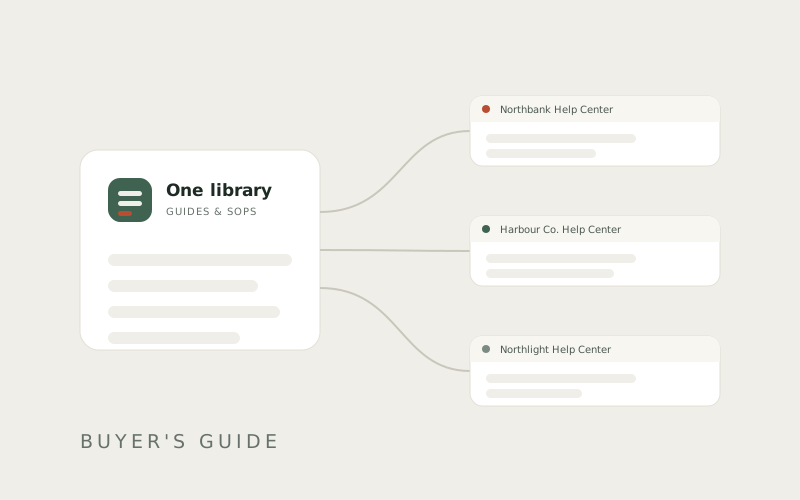
For an agency, external usually means one help center per client. Each one has the client's name and logo and only the guides that client needs.
The two sides share more than most teams expect. Your SOP for onboarding a client probably includes a step like "send them the guide for connecting their calendar." That guide is client-facing. The SOP around it is not.
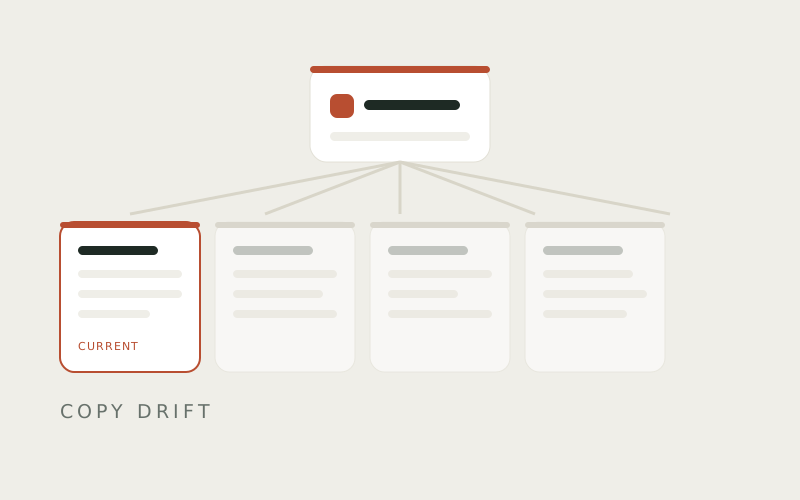
With two separate tools, that guide exists twice: once in the wiki where the team reads the SOP, and once in the help center where the client reads the guide. Somebody updates one copy and forgets the other. That drift is how documentation goes stale one client at a time.
In Docssier, an SOP embeds the guide instead of repeating it. Change the guide and every SOP using it is current, and so is every client hub it appears on.
The common setup is a wiki for the team and a help center tool for clients. It gives you a hard wall between the two. The costs are two copies of every shared step, two places to search, and two bills.
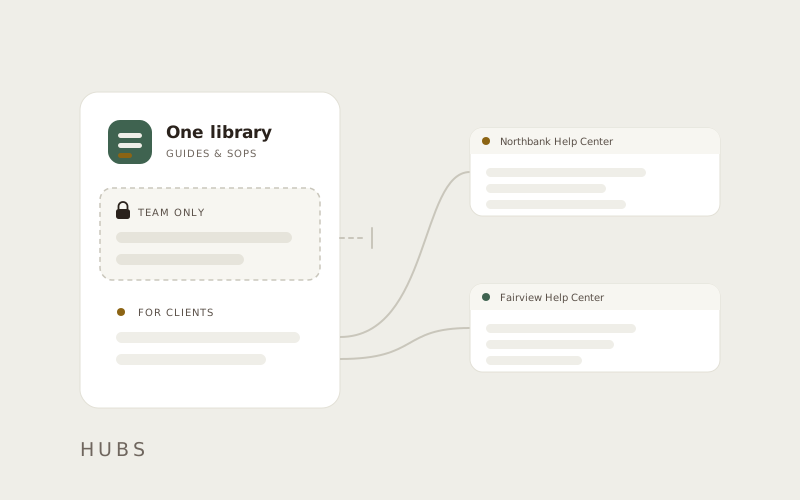
The alternative is one library where you decide the audience for each group of docs. You write a guide once, and the setting it is filed under decides who can read it. The separation still has to be strict, and it has to come from the structure of the library rather than from somebody remembering not to share the wrong page.
There are three settings that matter, from the widest to the narrowest.
Guides and SOPs in Docssier are filed into sections, and every section has a Visibility setting. External means the section can be given to hubs. Internal means only your team can see it, and it never appears on any hub.
Create one Internal section, called something like "Team" or "Operations," and file your pricing notes, client notes and internal SOPs there. Your team opens, searches and edits them in the app like any other doc. The audience decision is made once for the whole section, so there is no per-guide switch to forget.
A guide can be filed in more than one place at once, so the calendar guide can sit in your Internal section and in a client's section at the same time. The client sees it on their hub. The internal placement changes nothing about what they see.
The reverse is also true. Filing a guide into a client's section puts it on that client's hub, wherever else it is filed. Before you file anything sensitive, open the guide and check who can read it. Docssier lists its readers hub by hub, and internal placements appear as your team only.
Every hub has an Access tab with one choice, Who can read this help center, and four options:
An Internal hub is useful when your team wants the staff handbook as a website rather than as pages inside the app. It also works for a client hub you are still writing. A Password hub suits a client whose staff should read the guides but should not be listed in search results.
A client opening their hub sees their own name, logo and colors, and the published guides placed on it. Nothing from an Internal section is on the page.
Doc AI follows the same line. Doc answers from that hub's docs only, so a question about your pricing rules gets no answer from an internal note. When the docs genuinely don't cover it, Doc opens a ticket instead of guessing, and the question arrives in your Inbox for a person to answer.
Make one Internal section today and move the three docs you would least like a client to read into it. Then open a client's hub address in a private browser window and read it the way they would. If everything on the page is something you would send them anyway, the line between internal and external is in the right place, and it stays there every time you add a guide. If you are still sending clients folder links, a hub is a website, not a share link covers the switch.
An internal knowledge base is written for your team: SOPs, pricing rules, client notes and training. An external knowledge base is written for clients and customers, with the steps for the tasks they do themselves.
No. One library works as long as the audience is set by structure. In Docssier, an Internal section never appears on any hub, and External sections appear only on the hubs you give them to.
Yes. A guide can be filed in an Internal section and in a client's section at the same time. Your team reads it in the app, the client reads it on their hub, and there is only ever one copy to update.
Yes. Choose Password on the hub's Access tab after setting a password of at least six characters. Readers stay signed in for 30 days, and changing the password signs everyone out.
Yes. Set a hub to Internal on its Access tab. Only people signed in to your Docssier account can open it.
Capture a process, publish it as a help center under your own name or a client's, and answer the repeat questions from what you published.